8 Free Online Tools Every Student Should Use in 2026 | EverestKit
Discover free online tools every student should use in 2026. Explore PDF tools, scientific calculator, QR generator, photo tools, and more with EverestKit.
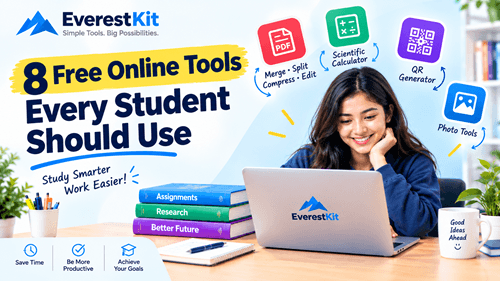
Being a student often means juggling assignments, lecture notes, presentations, research papers, PDFs, images, deadlines, and countless small digital tasks.
The good news is that you don't need expensive software for many of these jobs. A browser and the right online tools can save time and make everyday academic work much easier.
EverestKit provides a growing collection of free online utilities designed to help people handle common digital tasks without unnecessary complexity. Its tools include PDF converters, PDF editing utilities, image tools, a Nepali date converter, and other practical online resources.
Here are 10 types of online tools students can use to make studying and academic work more convenient.
1. PDF Merger: Combine Assignment Files Easily
PDF files are everywhere in education. You might have a cover page, assignment, references, supporting documents, and other pages saved as separate files.
Instead of sending several files individually, you can combine them into one organized PDF.
EverestKit's Merge PDF tool is designed to combine multiple PDF files into a single document in the order you choose.
When can students use a PDF merger?
A PDF merger can be useful when you need to:
- Combine multiple assignment sections
- Put a cover page and report together
- Combine lecture materials
- Create one PDF from several documents
- Organize supporting documents before submission
Practical tip: Give your files clear names before merging them. This makes it easier to arrange the final document correctly.
2. PDF Splitter: Extract the Pages You Actually Need
Sometimes a PDF contains dozens of pages, but your assignment only requires a few.
A PDF splitter can help you separate selected pages from a larger document.
EverestKit offers a Split PDF tool for separating one PDF into multiple smaller files.
Example
Imagine you downloaded a 100-page study document, but your instructor assigned chapters 3 and 4.
Rather than repeatedly opening the entire document, you can split the relevant pages into a smaller file for easier reference.
This can make digital study materials easier to organize.
3. PDF Compressor: Make Large Files Easier to Share
Large PDF files can become inconvenient when you need to upload them to a learning platform, attach them to an email, or share them with classmates.
A PDF compressor reduces file size while aiming to maintain useful document quality.
EverestKit includes a Compress PDF tool for reducing PDF file sizes.
Students can use PDF compression for:
- Assignment submissions
- Email attachments
- Online applications
- Course materials
- Project documentation
- Sharing files with classmates
Before submitting a compressed document, always open the resulting PDF and check that the text, images, and formatting still look correct.
4. Photo Cropper: Prepare Images for Projects
Academic work isn't limited to documents.
Students may also need to prepare photographs, screenshots, diagrams, or other images for presentations and assignments.
EverestKit's Photo Cropper lets users crop and resize images for their intended use.
You might use an image cropper to:
- Remove unwanted areas from screenshots
- Prepare images for presentations
- Resize photos for a project
- Focus on a specific section of an image
- Clean up images before adding them to a document
A simple crop can often make a visual much easier to understand.
Need to solve complex mathematical problems quickly? EverestKit Scientific Calculator is a free online calculator designed for students, teachers, engineers, and anyone who needs more than basic arithmetic.
Perform advanced calculations involving trigonometric functions, powers, roots, percentages, logarithms, and other mathematical operations directly from your browser—without installing additional software.
Key Uses
With a scientific calculator, you can work with calculations such as:
- Basic arithmetic
- Percentages
- Powers and exponents
- Square roots
- Trigonometric calculations
- Logarithmic calculations
- Fractions and decimals
- Advanced mathematical expressions
If you need a convenient calculator for mathematics, science, engineering, or everyday calculations, try the EverestKit Scientific Calculator and explore the other free tools available on EverestKit.
6. Nepali Date Converter: Convert BS and AD Dates
For students in Nepal, date conversion can be particularly useful.
Academic documents, applications, certificates, events, and personal records may use either Bikram Sambat (BS) or Gregorian (AD) dates.
EverestKit provides a Nepali Date Converter that supports BS ↔ AD conversion. The tool allows users to enter a date and convert it between the two systems.
Useful situations include:
- Checking dates on Nepali documents
- Completing forms
- Understanding academic deadlines
- Converting historical dates
- Working with documents that use different calendar systems
Instead of calculating dates manually, an online converter can provide a quicker way to check them.
7. Nepali Transliteration Tool: Type Nepali More Easily
Writing Nepali digitally can sometimes be challenging if you're more comfortable typing Nepali words using English letters.
EverestKit's Nepali Transliteration Tool converts Romanized Nepali into Devanagari script. For example, users can type Nepali words using Latin characters and receive the corresponding Nepali script.
Who can find this useful?
It can help students who need to:
- Write Nepali assignments
- Prepare Nepali notes
- Type Nepali messages
- Create Nepali content
- Convert Romanized Nepali into Devanagari
The tool works directly around text conversion, making it useful when you need to move between Romanized Nepali and Nepali script.
8. PDF Editing Tools: Make Small Changes Without Rebuilding a Document
Sometimes you don't need to recreate an entire document. You may simply need to add text, annotations, or images to an existing PDF.
EverestKit lists Edit PDF among its free PDF tools, with functionality for adding text, images, or annotations.
For students, this can be useful when reviewing study documents or adding information to files they own or have permission to edit.
Examples include:
- Adding notes to a document
- Annotating study material
- Adding information to your own PDF
- Marking important sections
- Preparing a document for review
Always keep an original copy of important academic documents before making edits.
Why Students Should Use Online Tools Carefully
Online tools can save time, but they should support your learning rather than replace it.
For example, a PDF converter can help you change a file format, but it doesn't replace understanding the material inside the document.
Similarly, productivity tools can make repetitive tasks faster, but students still need to research, think critically, write their own work, and follow their institution's academic rules.
Protect Your Academic Files
Before uploading a document to any online service, think about what information it contains.
Avoid uploading sensitive information unless you understand the service's privacy and security practices and have permission to process the document.
EverestKit's acceptable-use guidance also advises users to take care with sensitive information and to process only content they own or have permission to use.
Don't Forget About Copyright
Having access to a digital document does not automatically mean you have permission to reproduce or redistribute it.
If you're using PDFs, images, research papers, or other materials for academic work:
- Use materials you are allowed to use.
- Give credit to sources where required.
- Follow your school's or university's academic-integrity rules.
- Don't redistribute copyrighted material without permission.
Tools make file processing easier, but they don't change copyright ownership.
How to Build a Simple Student Workflow
You don't need dozens of apps to organize your academic work.
A simple workflow might look like this:
Step 1: Write or collect your assignment material.
Step 2: Prepare images using an image cropper when necessary.
Step 3: Convert documents into the format you need.
Step 4: Merge related PDF files into one document.
Step 5: Compress the final PDF if the file is too large.
Step 6: Split large reference documents into smaller study sections when useful.
Step 7: Review the final document before submitting it.
This approach can reduce repetitive work and keep your academic files more organized.
Why Free Online Tools Can Be Useful for Students
One of the biggest advantages of browser-based tools is convenience.
Students often use different devices throughout the day—a school computer, personal laptop, tablet, or smartphone. Online utilities can be convenient when you need to complete a quick task without installing a specialized desktop application.
EverestKit's tools cover several common digital tasks, including PDF processing, image editing, date conversion, and Nepali text conversion.
The best tool, however, is the one that solves the specific problem you have right now.
Frequently Asked Questions
What are the best free online tools for students?
Useful student tools depend on the task. PDF mergers, PDF splitters, PDF compressors, document converters, image tools, date converters, and text utilities can all be useful for different academic situations.
Are online PDF tools useful for college students?
Yes. College students frequently work with assignments, reports, presentations, research material, and other PDF documents. Tools for merging, splitting, compressing, converting, and editing PDFs can make these tasks more convenient.
Can I use EverestKit tools for student assignments?
EverestKit states that personal and educational use of its free tools is permitted, subject to its usage guidelines.
Students should still make sure that any material they process belongs to them or that they have permission to use it.
Does EverestKit have tools for Nepali users?
Yes. EverestKit currently offers a Nepali Date Converter for BS ↔ AD conversion and a Nepali Transliteration Tool for converting Romanized Nepali into Devanagari as well as other beneficial tools like scientific calculator,word counter,PDf tools etc. Check our all tools (check now)
Are free online tools a replacement for studying?
No. They are best viewed as productivity aids. A converter can change a file format, and a utility can simplify a repetitive task, but students still need to understand their subject, complete their own academic work, and follow their institution's requirements.
Final Thoughts
Students don't need complicated software for every digital task.
A few practical online utilities can make everyday academic work easier—from combining assignment PDFs and reducing file sizes to preparing images, converting documents, checking Nepali dates, and working with Nepali text.
EverestKit brings many of these utilities together in one place, including Merge PDF, Split PDF, Compress PDF, PDF to Word, PDF to PowerPoint, PDF to Excel, Photo to PDF, Word to PDF, PowerPoint to PDF, Excel to PDF, Edit PDF, PDF to JPG, Photo Cropper, Nepali Date Converter, and Nepali Transliteration.
If you're a student looking for simple browser-based utilities, explore the EverestKit Tools section and choose the tool that matches the task you're working on.
Work smarter, keep your files organized, and spend more time learning—not wrestling with file formats.
Community Discussion
Join the conversation and share your perspective with other readers
Community Comments
No Comments Yet
Start the conversation! Be the first to share your thoughts on this article.