WordPress vs Custom Website: Which Is Better in 2026?
Compare WordPress vs custom website development. Explore costs, SEO, performance, features, advantages, and find the best website solution for your business.
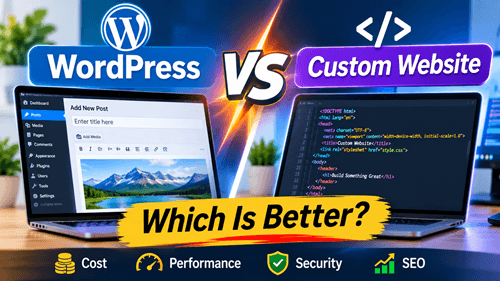
Choosing the right website platform is an important decision for any business, entrepreneur, or content creator. Whether you want to start a blog, build a company website, launch an online store, or develop a professional web application, you need a platform that matches your goals and budget.
Two popular options are WordPress and custom website development. Both can help you establish a strong online presence, but they differ in cost, flexibility, maintenance, performance, and functionality. So, which one should you choose? Let's explore the differences.
What Is a WordPress Website?
WordPress is an open-source content management system (CMS) that allows users to create and manage websites without requiring advanced programming knowledge. It offers ready-made themes, plugins, and an easy-to-use dashboard for managing website content.
WordPress is suitable for business websites, personal blogs, news portals, portfolios, and eCommerce stores. Its biggest advantage is affordability and simplicity. Website owners can publish articles, update pages, manage images, and improve SEO using plugins such as Yoast SEO and Rank Math.
However, using too many plugins, poorly maintained themes, or low-quality hosting can affect website performance and security.
What Is a Custom Website?
A custom website is developed specifically according to the requirements of a business or individual. Developers use technologies such as HTML, CSS, JavaScript, React, Node.js, PHP, and Python to build unique website functionality.
Unlike ready-made website solutions, custom development gives businesses greater control over design, features, integrations, and technical architecture.
Custom websites are especially useful for advanced business platforms, booking systems, SaaS applications, customer dashboards, and websites with specialized requirements.
The main disadvantages are higher development costs, longer development time, and the need for technical expertise to maintain the system.
WordPress vs Custom Website: Key Differences
| Comparison | WordPress | Custom Website |
| Development cost | Generally affordable | Generally expensive |
| Development time | Faster | Takes longer |
| Ease of use | Beginner-friendly | Depends on the system |
| Customization | Themes and plugins | Highly flexible |
| SEO | Excellent | Excellent with proper implementation |
| Performance | Depends on optimization | Can be highly optimized |
| Security | Requires regular updates | Requires secure development |
| Maintenance | Relatively easy | Often needs developers |
| Best for | Blogs and business websites | Advanced platforms and applications |
Neither option is automatically better in every category. The final result depends on development quality, hosting, optimization, and maintenance.
Which Website Is Better for SEO?
Search engine optimization (SEO) is essential for attracting visitors from Google and other search engines. Both WordPress and custom websites can achieve excellent search visibility when developed and optimized correctly.
WordPress makes SEO management easier through plugins that help with meta titles, descriptions, XML sitemaps, canonical URLs, and structured data.
Custom websites provide more technical flexibility. Developers can optimize page speed, URL structures, mobile responsiveness, metadata, and server-side rendering according to project requirements.
For beginners and regular bloggers, WordPress is often easier to manage. For specialized applications, custom development offers greater technical control.
Remember that good rankings depend on useful, original content, relevant keywords, a good user experience, and sound technical SEO—not simply the platform.
How Much Does Website Development Cost?
The cost of building a website depends on its design, functionality, developer experience, and technical requirements. As an illustrative estimate, a basic WordPress website may cost around $50–$600, while a custom business website may cost approximately $500–$2,000 or more.
Advanced eCommerce websites and web applications can cost significantly more. Hosting, domain registration, premium plugins, maintenance, and future upgrades should also be included in your budget.
Which One Should You Choose?
Choose WordPress if you want:
- An affordable business website.
- A blog or news website.
- Easy content management.
- A small or medium-sized online store.
- A website that can be launched quickly.
Choose custom development if you need:
- Unique business functionality.
- Advanced web applications.
- Custom customer dashboards.
- Specialized payment or booking systems.
- Greater control over technical architecture.
You can also combine both technologies by using WordPress for content management and custom development for advanced website features.
Final word: WordPress or Custom Website?
WordPress and custom website development are both excellent solutions, but the right choice depends on your business requirements.
WordPress is a practical option for beginners, bloggers, startups, and businesses looking for an affordable and manageable website. Custom development is more suitable for companies that need specialized features, advanced integrations, and greater architectural flexibility.
Before investing in website development, consider your budget, target audience, required functionality, and long-term business goals.
Looking to build a professional website for your business? EverestKit offers website development solutions designed to help businesses establish their online presence, connect with customers, and grow digitally. Visit EverestKit to explore our services and take the next step toward building your business online.
Community Discussion
Join the conversation and share your perspective with other readers
Community Comments
No Comments Yet
Start the conversation! Be the first to share your thoughts on this article.